About Grammarly
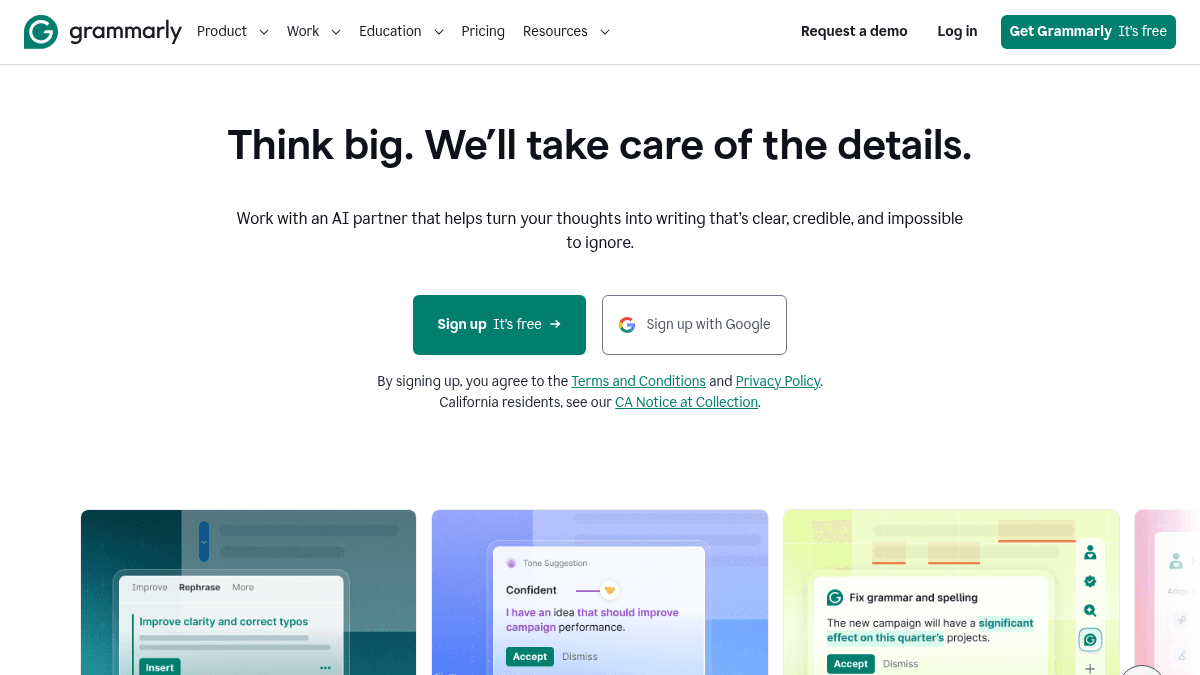
Overview Grammarly is an AI writing assistant that helps individuals and teams produce clear, credible writing across apps, browsers, and devices. It catches grammar mistakes, suggests tone adjustments, and can rewrite entire sentences to improve clarity. The tool serves over 40 million people and 50,000 organizations, from students writing essays to enterprise marketing and sales teams. Unlike basic spell checkers, Grammarly offers style guide enforcement, reader reaction previews, and generative AI prompts to produce new text. Key Benefits Organizations that deploy Grammarly save an average of $5,000 per employee per year. Teams report 50% fewer writing and editing hours after adopting Grammarly. Customers achieved 66% improvement in writing quality scores. Style-guide feature adoption reached 92% among surveyed enterprise teams. Users save an average of 20 days per year on writing tasks. Grammarly holds a 4.9 out of 5 customer satisfaction rating. How It Works You install the Grammarly browser extension, desktop app for Windows or Mac, or mobile keyboard for iOS and Android. As you type in any text field — email, document, chat, or social post — Grammarly underlines issues in real time. You click on a suggestion to accept a fix, click a tone icon to see how your message will land, or open the AI assistant panel to generate, rewrite, or humanize text on demand. Use Cases Customer support agents use Grammarly to follow brand style guides and maintain a consistent, confident tone in replies. Enterprise marketing teams rewrite headlines and email copy to improve clarity and on-brand messaging. Sales representatives adjust the tone of outreach messages so they land as intended with prospects. Students and institutions use Grammarly for essay checking, citation generation, and plagiarism detection. IT and HR teams enforce data loss prevention policies via confidential mode and granular role permissions on the Enterprise plan. Why Choose This Product Grammarly suits anyone who writes regularly — from students and individual professionals to large enterprise teams — and wants real-time grammar, tone, and style feedback. The free tier provides basic mistake detection and 100 AI prompts, while paid plans unlock full-sentence rewrites, tone adjustment, and expanded generative AI. The product does not sell or monetize user content and does not allow third parties to train models on user data.
Grammarly Pros & Cons
- Serves over 40 million people
- Trusted by 50,000 organizations
- Free tier available with 100 AI prompts
- Real-time proofreading across all apps
- Does not sell or monetize user content
Key Features
Real-time proofreading
Grammarly underlines spelling, grammar, and punctuation errors and suggests corrections as you type.
Full-sentence rewrites
Users can rewrite entire sentences with one click to improve clarity and flow.
Tone suggestions
Grammarly analyzes the tone of your writing and suggests adjustments to match your intended audience.
Humanizer agent
The Humanizer agent rewrites AI-generated text to sound more natural and personal.
AI Detector agent
The AI Detector agent identifies text that appears to be AI-generated so users can revise it.
Generative AI prompts
Users can generate new text using a defined number of AI prompts per plan.
Style guide enforcement
Grammarly enforces brand style guides so team writing stays consistent and on-message.
Reader Reactions
Reader Reactions shows how your writing will be perceived by different audience types before you send it.
Grammarly Pricing
View full pricing →- Write without mistakes
- See your writing tone
- Generate text with 100 AI prompts
- Everything included in Free
- Rewrite full sentences
- Adjust your writing tone
- Stay on-brand
- Generate text with 2,000 AI prompts
- Everything in Plus, and more
- Unlimited members
- Dedicated support
- Confidential mode
- Granular roles and permissions
- Data loss prevention
- Unlimited generative AI prompts
| Feature | Free Free/mo | Pro $12/yr | Enterprise Custom |
|---|---|---|---|
| Write without mistakes | |||
| See your writing tone | |||
| Generate text with 100 AI prompts | |||
| Everything included in Free | |||
| Rewrite full sentences | |||
| Adjust your writing tone | |||
| Stay on-brand | |||
| Generate text with 2,000 AI prompts | |||
| Everything in Plus, and more | |||
| Unlimited members | |||
| Dedicated support | |||
| Confidential mode | |||
| Granular roles and permissions | |||
| Data loss prevention | |||
| Unlimited generative AI prompts |
Pricing extracted from the product website and may change. Check the source for current details.
Frequently asked questions about Grammarly
Is Grammarly free?
Grammarly offers a free plan with optional paid upgrades. See the pricing section for what's included in each tier.
How much does Grammarly cost?
Grammarly offers the following plans: Free, Pro, Enterprise. See the pricing section for what's included in each tier and any per-seat or usage-based costs.
What platforms does Grammarly support?
Grammarly is available on: Web, macOS, Windows, iOS, Android.