About LanguageTool
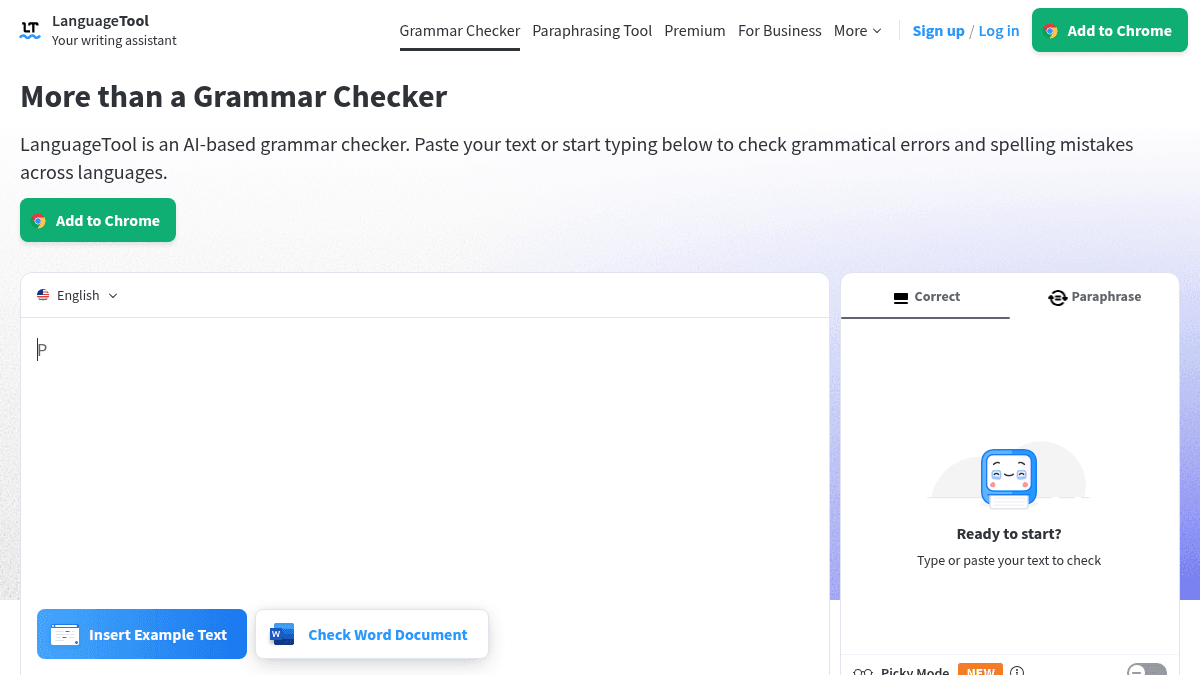
Overview LanguageTool is an AI-based writing assistant that checks grammar, punctuation, spelling, and style errors across 30+ languages. It works as a standalone editor, a browser add-on, and an office plugin to catch mistakes in emails, documents, and social media posts. Unlike single-language tools, LanguageTool supports English, German, Spanish, French, Portuguese, Dutch, and many more languages and dialects. It targets anyone who writes regularly — students, professionals, teams, and non-native speakers — and offers a free tier plus Premium upgrades for deeper style and paraphrasing support. Key Benefits Catches grammar, punctuation, spelling, and style errors in real time across 30+ languages. Free browser add-ons work on Chrome, Firefox, Edge, Safari, and Opera and respect privacy by storing no text. Premium tier unlocks unlimited AI-powered sentence paraphrasing, a Style Guide, and up to 100,000 characters per text field (citing >pricing_page_content Team plans include user management, Team Style Guide, and Team Dictionary for groups of 2–20 members. Integrates with over a dozen apps: Gmail, Outlook, Google Docs, Microsoft Word, Apple Pages, Slack, LibreOffice, and more. Personal Dictionary and Statistics dashboard track writing progress and error patterns over time. How It Works A user pastes text into the LanguageTool editor or installs the browser add-on. The AI scans the text automatically as the user types in an email, a blog post, or a document. Suggestions appear inline for grammar, spelling, punctuation, and style; the user accepts, ignores, or adjusts each suggestion. Premium users can also highlight a sentence and run the Paraphrasing Tool to rephrase it. Use Cases Non-native English speakers who want to catch grammar and spelling errors while writing emails or reports in a second language. University students writing dissertations or essays who need style checks and a distraction-free editor with a Personal Dictionary. Marketing and communications teams who use the Team Style Guide to keep brand voice consistent across documents. Freelance writers and bloggers who rely on the browser add-on to proofread tweets, blog posts, and client messages on the web. Editors and proofreaders who manage multiple language pairs and need a single tool for English, German, Spanish, French, Portuguese, and Dutch. Why Choose This Product LanguageTool suits individual writers who want a free, privacy-respecting grammar checker that works across many languages. Teams of up to 20 members get additional management features. Users who need unlimited paraphrasing or advanced style suggestions must upgrade to Premium.
LanguageTool Pros & Cons
- Free tier available with no time limit
- Supports over 30 languages and dialects
- Works as browser extension, desktop app, and office plugin
- Privacy-respecting browser add-on stores no text
- Team plans include Style Guide and Dictionary for up to 20 users
- Grammar and punctuation suggestions are limited in the free version
- 100,000 characters per text field in Premium (citing from >pricing_page_content<)
- API access is not mentioned for individual plans
Key Features
Grammar and spell check
Identifies grammar mistakes, spelling errors, punctuation issues, and style problems in real time for over 30 languages.
AI paraphrasing
Lets Premium users rephrase any sentence using AI, with unlimited paraphrasing on the Premium plan.
Writing statistics
Tracks languages used, errors made, and suggestions applied so users can see writing improvement over time.
Personal Dictionary
Allows users to add custom words and terms that the checker will not flag as errors.
Style Guide
Enables teams to define and enforce a consistent brand voice and writing rules across members.
Picky Mode
Provides advanced punctuation, style, and typography suggestions beyond basic grammar checks.
Dark mode
Offers both light and dark appearance options in the LanguageTool editor.
Team management
Supports teams of 2–20 members with user administration and shared Team Dictionary.
LanguageTool Pricing
View full pricing →- Grammar and spell check in 30+ languages
- Limited paraphrasing
- Personal Dictionary
- Writing statistics
- Enhanced grammar, punctuation, and style checking
- Up to 150,000 characters per text field
- Unlimited AI-powered sentence paraphrasing
- Style Guide
- Browser add-on
- All Premium benefits
- User management for 2–20 members
- Team Style Guide
- Team Dictionary
| Feature | Free Free | Premium $4.99/mo | Teams $5.83/mo |
|---|---|---|---|
| Grammar and spell check in 30+ languages | |||
| Limited paraphrasing | |||
| Personal Dictionary | |||
| Writing statistics | |||
| Enhanced grammar, punctuation, and style checking | |||
| Up to 150,000 characters per text field | |||
| Unlimited AI-powered sentence paraphrasing | |||
| Style Guide | |||
| Browser add-on | |||
| All Premium benefits | |||
| User management for 2–20 members | |||
| Team Style Guide | |||
| Team Dictionary |
Pricing extracted from the product website and may change. Check the source for current details.
Frequently asked questions about LanguageTool
Is LanguageTool free?
Yes. The free tier checks grammar, punctuation, and spelling across 30+ languages. A Premium upgrade unlocks unlimited paraphrasing, a Style Guide, and larger text fields.
What platforms does LanguageTool support?
LanguageTool runs as a browser extension on Chrome, Edge, Firefox, Safari, and Opera. It also offers desktop apps for macOS and Windows, plus add-ons for Gmail, Outlook, Apple Mail, Thunderbird, Google Docs, Microsoft Word, Apple Pages, and LibreOffice.
Does LanguageTool store my text?
No. The browser add-on checks text in real time but stores nothing. The online editor stores texts only for signed-in users who choose to save them.
How much does LanguageTool cost?
LanguageTool offers the following plans: Free, Premium, Teams. See the pricing section for what's included in each tier and any per-seat or usage-based costs.