
About Payload
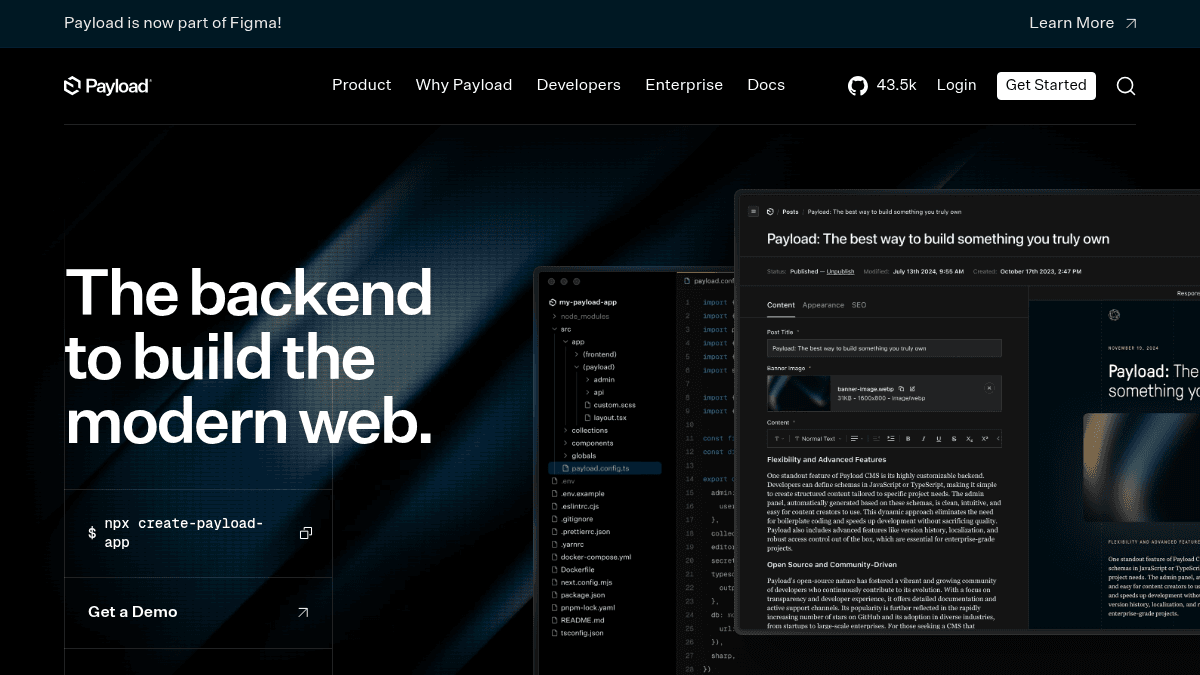
Overview Payload is an open-source headless CMS and application framework built on Next.js with TypeScript and React. It provides a full backend that integrates into a Next.js app, enabling developers to build content management systems, enterprise applications, headless e-commerce platforms, and digital asset management solutions. Unlike platforms that lock teams into closed ecosystems, Payload is code-first for developers and content-first for marketers. It offers multi-tenancy, white labeling, localization, access control, and auth capabilities out of the box. Organizations from Fortune 500 companies to independent developers use Payload as a build-vs-buy solution that gives teams full ownership of their content infrastructure. Key Benefits Define content schemas in code, skipping the need for a separate ORM or custom admin panel build. Automatic RAG-ready vector embeddings prepare content for AI retrieval with zero manual effort. Visual editing lets marketing teams see content layout changes without touching code. Built-in multi-tenancy, localization, access control, and authentication cover enterprise requirements immediately. Open-source license means teams fully own their content and can customize every layer of the platform. Next.js native integration delivers a backend without maintaining separate services. How It Works You run npx create-payload-app to scaffold a new project inside an existing Next.js application. You define your content schema as TypeScript classes or config objects, and Payload auto-generates the database migrations, REST/GraphQL API endpoints, and the admin UI. Marketing teams then log into the admin panel to create and edit content with a visual editor, while developers extend functionality through the same codebase they already own. Use Cases Marketing teams — manage website content through a visual editor that shows layout changes without developer intervention. Enterprise engineering teams — build internal applications with multi-tenant architecture, SSO, and publishing workflows. E-commerce developers — construct headless storefronts with Payload as the content and product data backend. Digital asset managers — store, organize, and serve media assets with built-in access control and CDN delivery. Agencies and consultancies — white label the admin panel and use multi-tenancy to serve multiple client projects from one installation. Why Choose This Product Payload is best suited for teams that want the flexibility of open source with the usability of a commercial CMS. It delivers enterprise features like SSO, AI auto-embedding, publishing workflows, and static A/B testing while remaining code-first. The platform is particularly strong for organizations that need multi-tenancy, localization, and white labeling without paying per-seat licensing costs, though enterprise-tier features require a demo and contact sales.
Payload Pros & Cons
- Open-source and self-hosted
- Code-first schema definition
- Next.js native integration
- Built-in visual editing
- Multi-tenancy and white labeling support
Key Features
Schema in code
Defining content schemas as TypeScript configs generates migrations, APIs, and the admin panel automatically.
Visual editing
The admin panel reflects live content in real time so marketers see layout changes without developer help.
RAG embeddings
Payload automatically converts content into vector embeddings suitable for retrieval-augmented generation workflows.
Next.js native
The full backend runs inside a Next.js app without a separate CMS server or external ORM.
Multi-tenancy
One installation can serve multiple client sites or tenants with isolated content and access rules.
White label
The admin panel can be rebranded with custom logos, colors, and domain for agency deployments.
Localization
Content can be translated and managed across multiple languages from a single interface.
Access control
Granular role-based permissions control who can view, create, edit, or publish each content type.
Auth system
Built-in user authentication handles login, registration, password reset, and API token management.
Enterprise add-ons
Enterprise features include SSO, AI auto-embedding, publishing workflows, and static A/B testing.
Payload Pricing
Pricing extracted from the product website and may change. Check the source for current details.