Results for "website"
527 matching results across tools, Boxes, comparisons, alternatives, and categories.
Tools(507)
View all 507 tools
Launch a mobile-friendly website, online store, and custom domain email in minutes, with free hosting and no coding, starting free with any new domain...

Build and publish a responsive website for free with templates, built-in SEO and eCommerce, or launch your own white label website builder business to...

Build client or business websites faster with AI, templates, SEO tools, and hosting included. Manage projects and client feedback in Studio, or launch...


Industry-leading website crawler for technical SEO audits, plus a full-service SEO agency — crawl, audit, and optimize websites at scale.

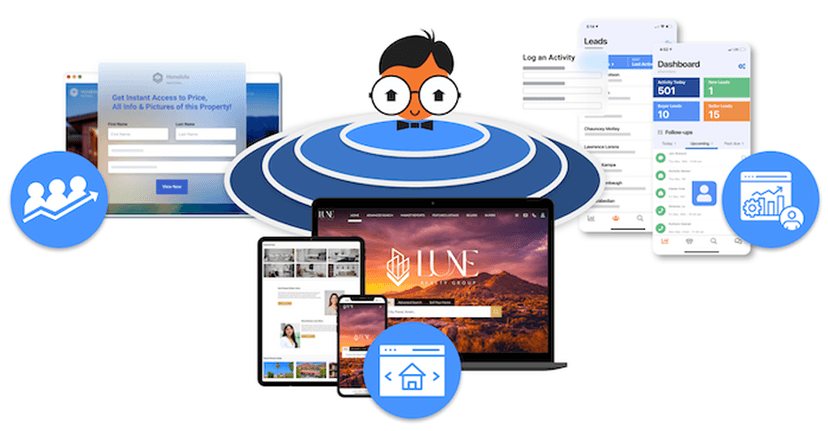
All-in-one real estate growth software combining a personalized IDX website, an intelligent CRM, and hyper-local lead packages to help agents capture,...

Turn a prompt, voice note, or Figma file into a deployed full-stack app with React, PostgreSQL, and auth — plus 3D Three.js websites and Flutter apps ...
Categories(20)
View all 20 categoriesAgency Management
Agency management tools coordinate client work, delivery and the systems behind a service business. This collection includes project and services platforms such as Teamwork.com, website delivery tools such as Sitejet and Duda, social workspaces such as Cloud Campaign and Sendible, and reporting through AgencyAnalytics. These products address different parts of agency operations rather than one identical workflow. Map your client journey from scope and onboarding to review, delivery and reporting. Test how each tool separates client workspaces, controls guest access and keeps feedback connected to the right deliverable. For production teams, check how deadlines, responsibilities and capacity changes are communicated. Compare branding options, approval steps and the cost of adding accounts, clients or collaborators. Review exports and integrations before relying on a platform for client records. Choose a clear home for project status and final decisions so the team and client can find the current version without chasing messages.
AI Website Builders
AI website builders use a business description or prompt to produce an initial site structure, copy and visual design. This collection includes services such as Butternut AI, Durable, B12 and Mixo, alongside builders such as 10Web and Hostinger Website Builder. Compare what happens after generation: the ability to revise, publish and maintain the site matters alongside the first draft. Test a specific brief with your actual pages, services and brand assets. Inspect the navigation, mobile layouts and forms, then try correcting a section without rebuilding the whole site. Review generated claims, contact information and images before visitors see them. Check custom domain requirements, hosting, recurring costs and access to editable content. If portability matters, confirm what can be exported and what remains tied to the platform. For ongoing use, test adding a new page and updating existing content so the site can grow beyond its initial prompt.
App Icons
App icons can mean two different things: the graphic used to launch a product, or the small symbols inside its interface. IconKitchen helps prepare launcher icons, while RealFaviconGenerator, Favicon.io and Favic-o-Matic package website icons. Ionicons, Iconic and Shape 2 supply interface assets; IconJar helps organize a local collection. Choose the right group before comparing features, because an SVG library and a favicon generator solve different jobs. For launcher icons and favicons, test the source artwork at small sizes and review platform previews before exporting. Check the generated files and integration instructions against your target platforms. For interface libraries, compare stroke weight, filled and outline styles, editable formats and coverage of the actions your app needs. Confirm the license before distributing assets with a product. Keep one consistent visual style across screens, and use accessible labels for controls instead of relying on an icon’s appearance alone.
Creative Assets
Creative asset libraries provide material for websites, campaigns, videos and presentations. This collection includes broad subscriptions such as Envato Elements, image libraries such as iStock and Getty Images, footage sources including Pexels and Coverr, and marketplaces such as AudioJungle and VideoHive. Some supply finished media; others provide templates that need editing software. Search for a real project brief before paying. Check resolution, aspect ratio, visual consistency, file formats and compatibility with your editing tools. For templates, inspect required software versions, fonts and plugins so an attractive preview does not conceal additional work. Review the terms for the specific asset and intended use, including client delivery, attribution and any restrictions. Editorial and commercial use can require different permissions. Keep the asset source and license record with the project, and compare subscriptions against individual purchases based on how often you need new material.
Design & Creative
This broad category gathers design and creative tools that support visual project work, ranging from generative AI studios to icon editors. The supplied sample includes AI tools that turn text and images into images, video, and 3D content, design systems like Material Design, font managers, and CSS gradient libraries. Some products are reference resources, such as website galleries, while others are working utilities for building, editing, or downloading assets. Children split the category into 3D modeling, asset marketplaces, icon libraries, prototyping, and related niches. Because the field spans many kinds of software, decide first which task you need covered: generating fresh content, finding ready-made assets, or laying out an interface. Check each listing for supported platforms and pricing models, since the free, freemium, and paid tiers vary by product. Readers can examine a product's tagline and description for what it makes or supplies, then confirm fit against their own workflow. The sample contains products without platform or pricing details, so verify any unknown fields before relying on a tool.
Dev Servers
The Dev Servers listings focus on publishing and running projects, from static websites to applications with a backend. GitHub Pages, Cloudflare Pages and Surge cover static-site workflows, while Fly.io, Heroku and Render represent application deployment options. DigitalOcean and Vercel broaden the infrastructure choices. Start by identifying what your project needs to run, because a static host and an application platform support different workloads. Check your framework and runtime, build process, environment variables, custom domains and rollback options. For backend workloads, also examine persistent storage, scheduled jobs, logs and database connections. Estimate costs using expected traffic, compute and storage, then deploy a small version of your actual project. Compare operational work as well as price: who handles updates, incident investigation and recovery when a deployment fails?